Page speed optimisation for a Singapore transport website
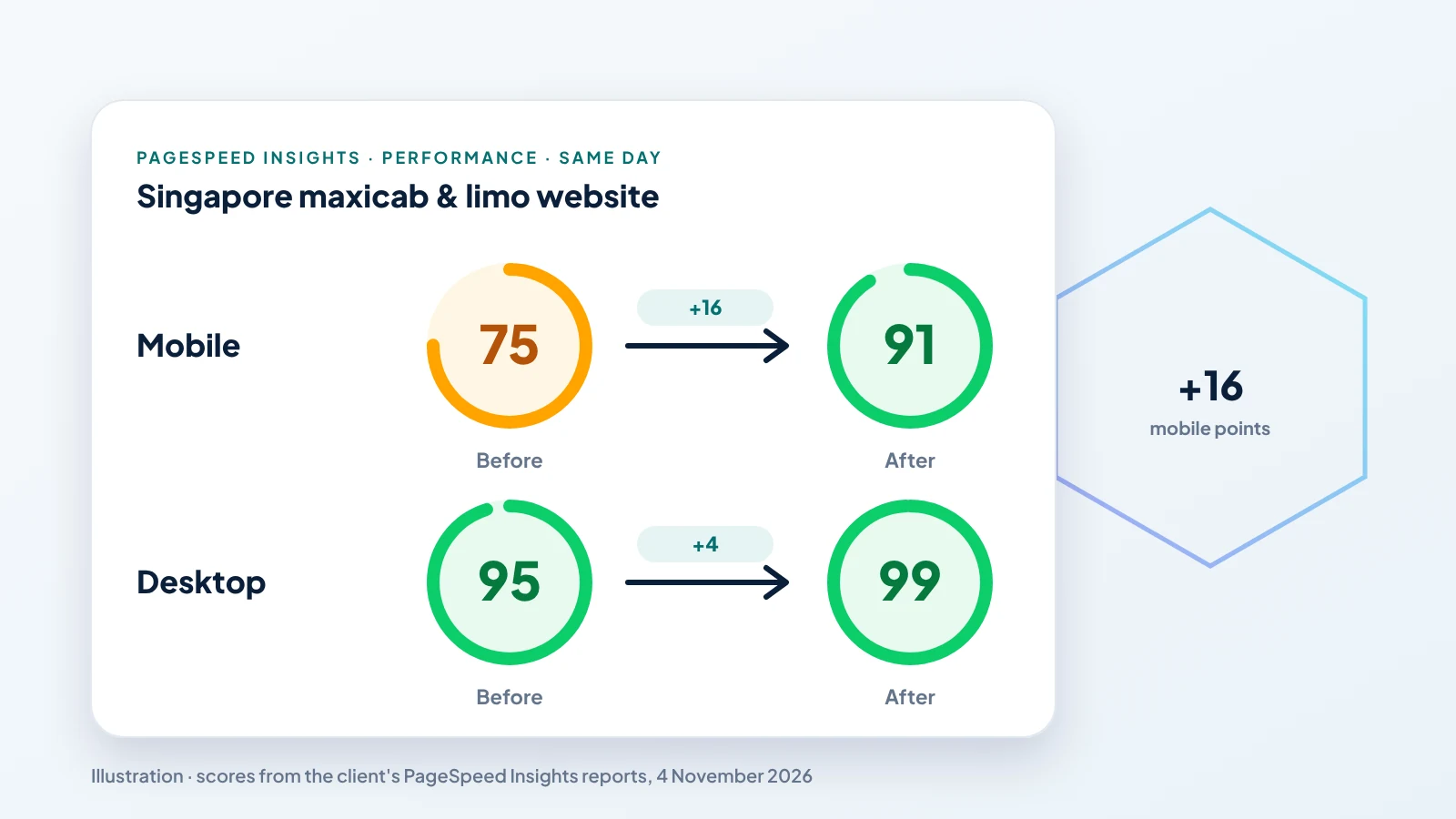
Mobile PageSpeed from 75 to 91, desktop from 95 to 99, and accessibility to 100, in one day.
The client
A maxicab and limousine company in Singapore, the same client whose rankings we recovered in our SEO recovery case study. Most of its bookings start on a phone, often from someone who needs a ride soon, so a slow mobile page means lost jobs. The client's name stays private under NDA.
The problem
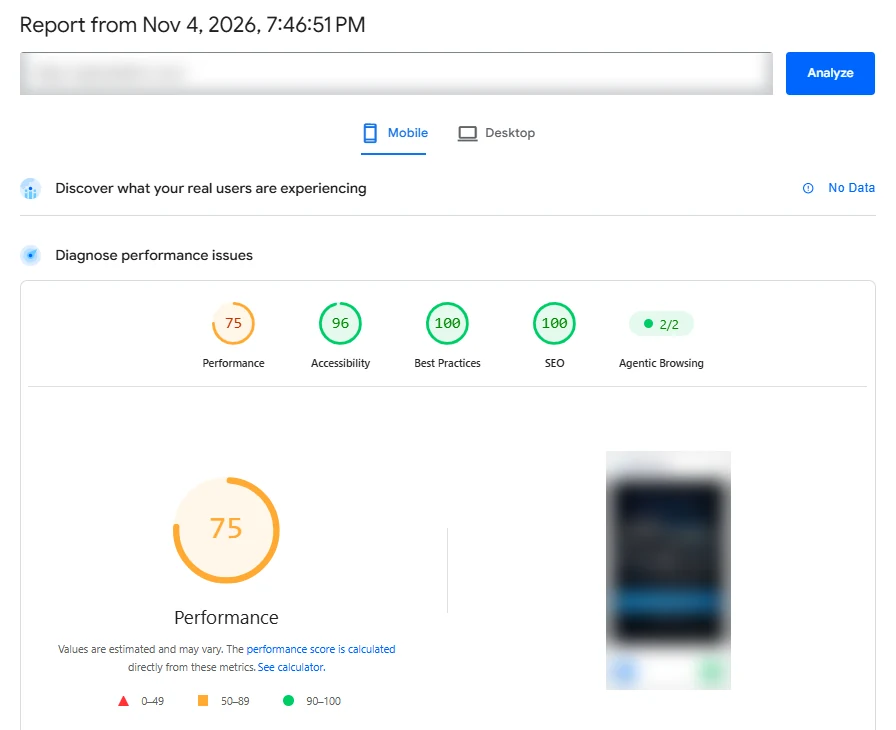
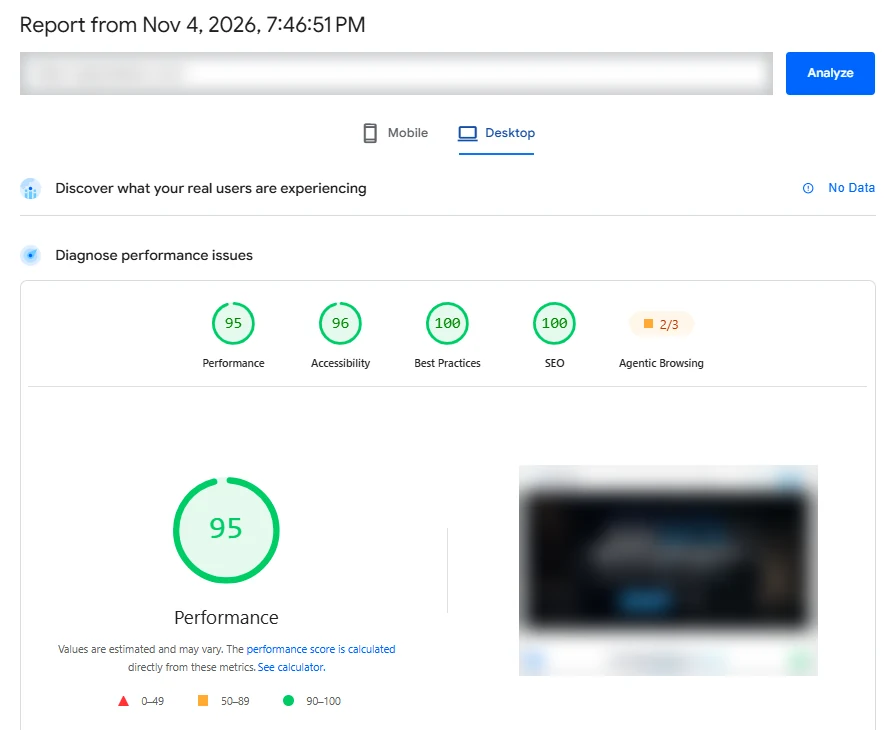
On mobile, PageSpeed Insights scored the homepage 75. The first text appeared in 1.0 second, but the largest element, the hero, took 7.4 seconds to show. Desktop scored 95, with the largest element at 1.4 seconds.
The result, the same day
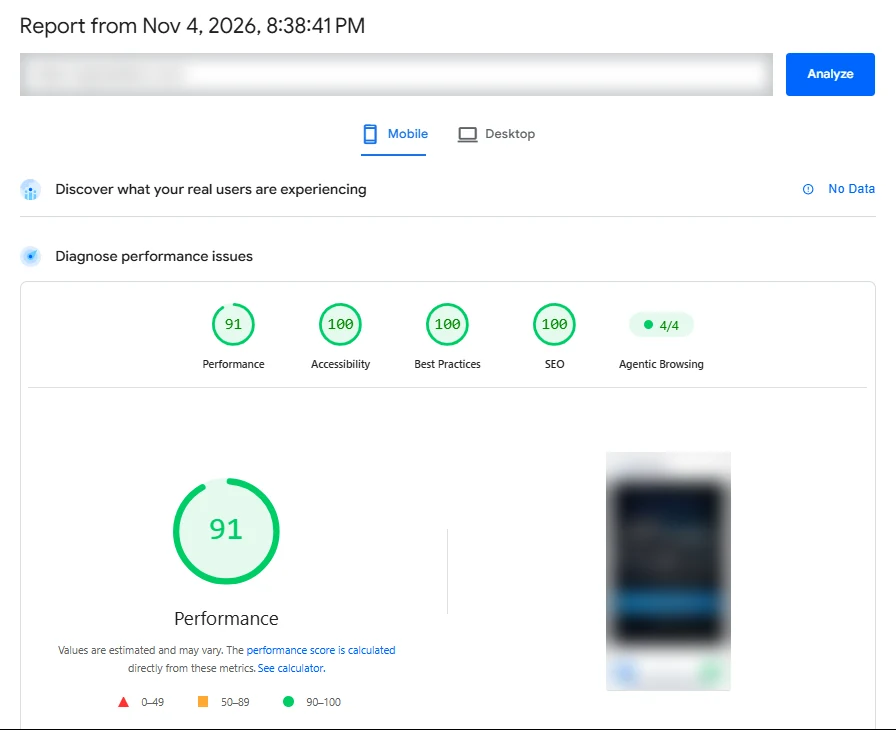
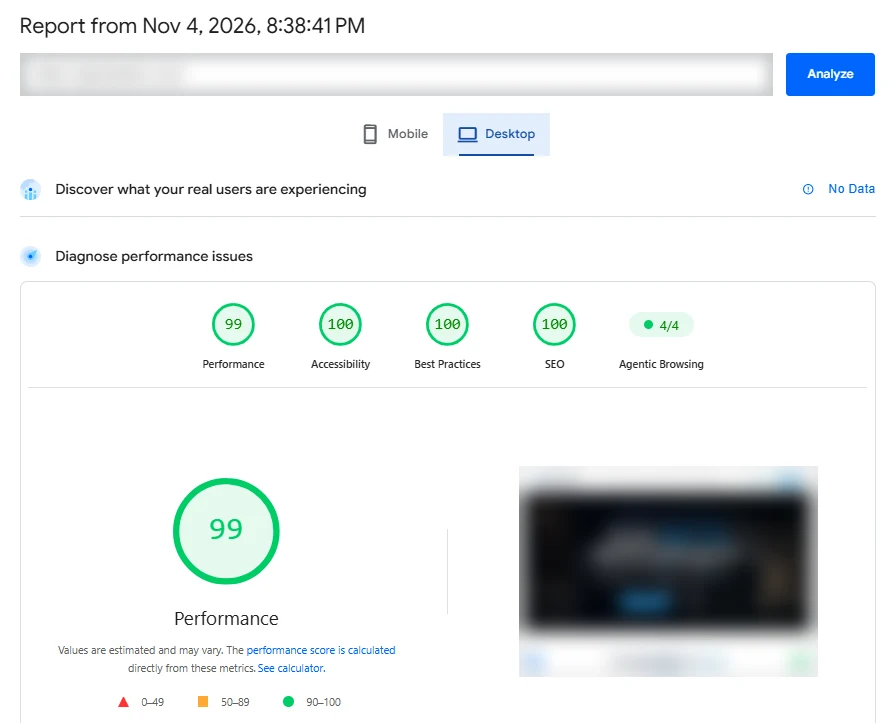
Both reports were run on 4 November 2026, before the work at 7:46 PM and after it at 8:38 PM.
| Score | Before | After | Change |
|---|---|---|---|
| Performance, mobile | 75 | 91 | +16 |
| Performance, desktop | 95 | 99 | +4 |
| Accessibility | 96 | 100 | +4 |
| Best practices | 100 | 100 | kept |
| SEO | 100 | 100 | kept |
| Agentic browsing checks | 2/2 mobile, 2/3 desktop | 4/4 | all passing |
Before
After
What we changed
No redesign and no new hosting. Every fix went into the existing site.
- Images 20–30× lighterFleet photos were 0.7–1.3 MB PNG files. We converted them to WebP at about 40 KB each and kept the PNGs only for social share previews.
- Responsive hero imageThe homepage hero now comes in three WebP sizes (768, 1280 and 1920 px, 18–85 KB), so a phone downloads the small one, and it is preloaded so it appears first.
- Right-sized fleet photosFleet images ship in 400, 600 and 800 px versions with sizes rules, so each screen gets the smallest file that looks sharp.
- Hero no longer waits for JavaScriptThe first screen used to stay invisible until the app's JavaScript loaded. It now animates in with plain CSS, which was the biggest single cause of the slow mobile paint.
- Analytics and booking form load laterGoogle Analytics loads on the first tap or four seconds after the page, without losing events. The booking form with its date picker and fare calculator loads only when it is about to scroll into view.
- Accessibility and crawler fixesColour contrast fixed on badges, form hints, placeholders and blue text, explicit image sizes added, robots.txt cleaned up, and an llms.txt and agent resource file added for AI assistants.
Why it matters
For a transport company, the first screen carries the booking button and the phone number. Showing it in a fraction of the time keeps more visitors from going back to Google and tapping the next result. Accessibility also reached 100, so the site is easier to use for everyone, including people with low vision.
The screenshots are the real PageSpeed Insights reports, with the client's address and site preview blurred for privacy. Want the same for your site? See technical SEO or how we build sites that score 100.
Want more calls from Google?
Send us your website. We'll reply with what's holding it back and what we'd fix first, free of charge.